Queues
Queues are named, ordered searches within the project, with live counts. Agents see what to pick up next, and the same query language finds anything else.
Service desk
Give customers and colleagues a help centre to raise requests and follow them. Give agents queues, SLAs and approvals, with the workflows, automation and search they already use.
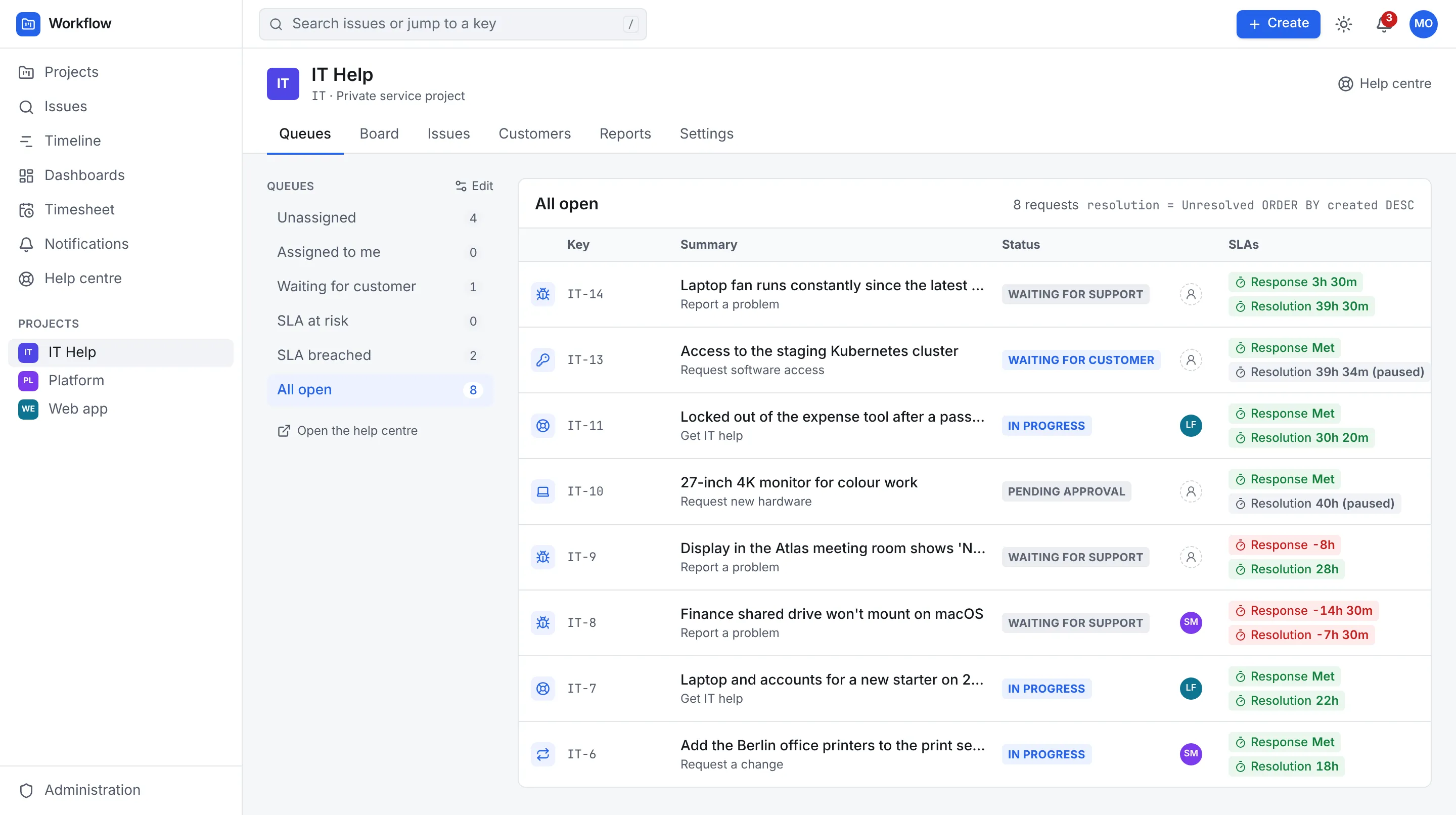
A queue with its SLA clocks: running, paused and breached.
Help centre
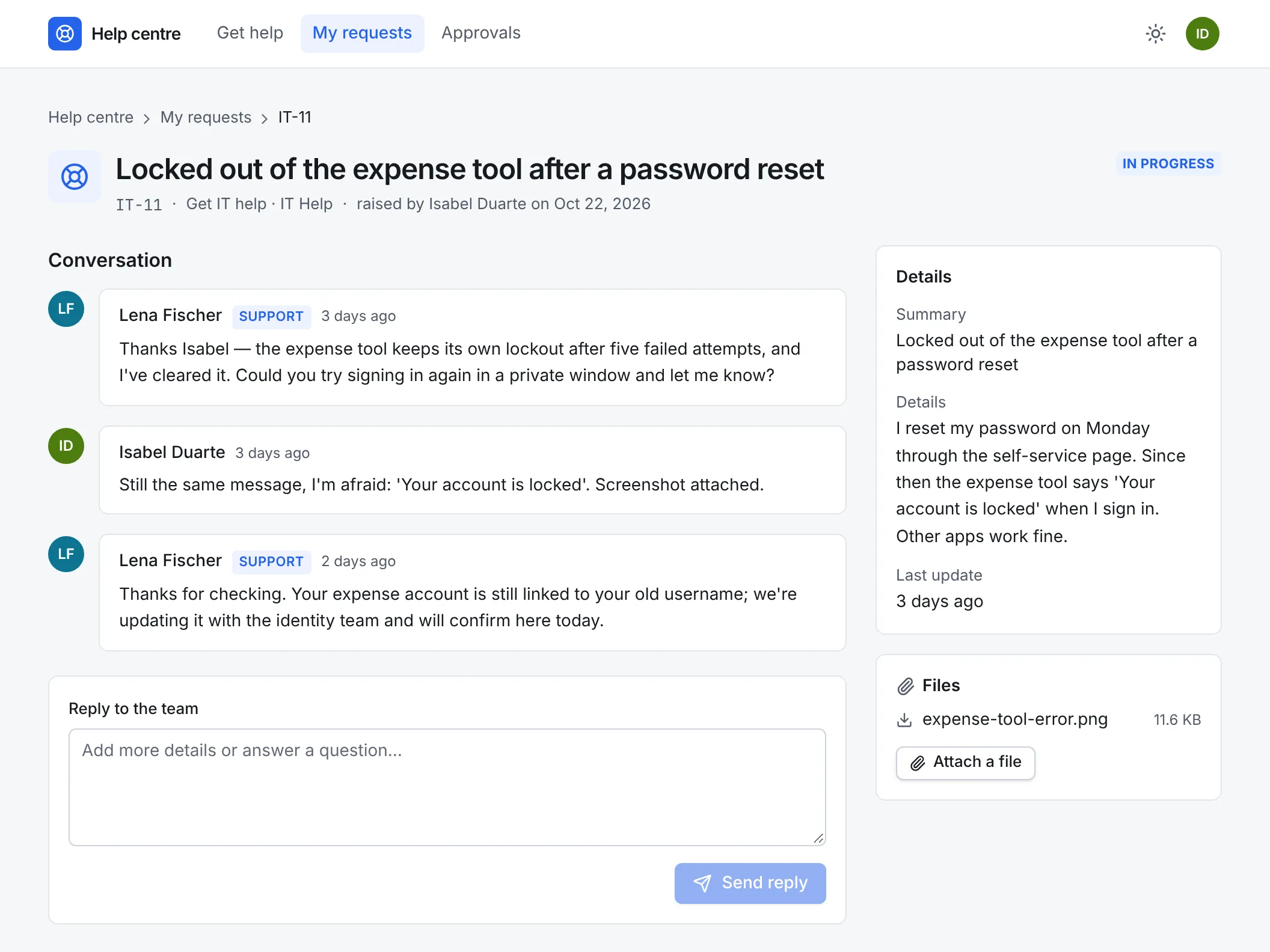
Each service project has its own help centre. Request types each have a form with the fields you choose, so requests arrive with what the team needs to get started.
Customers raise requests, follow them, reply, attach files and share them with colleagues. People in your organisation use the same help centre with their usual sign-in.
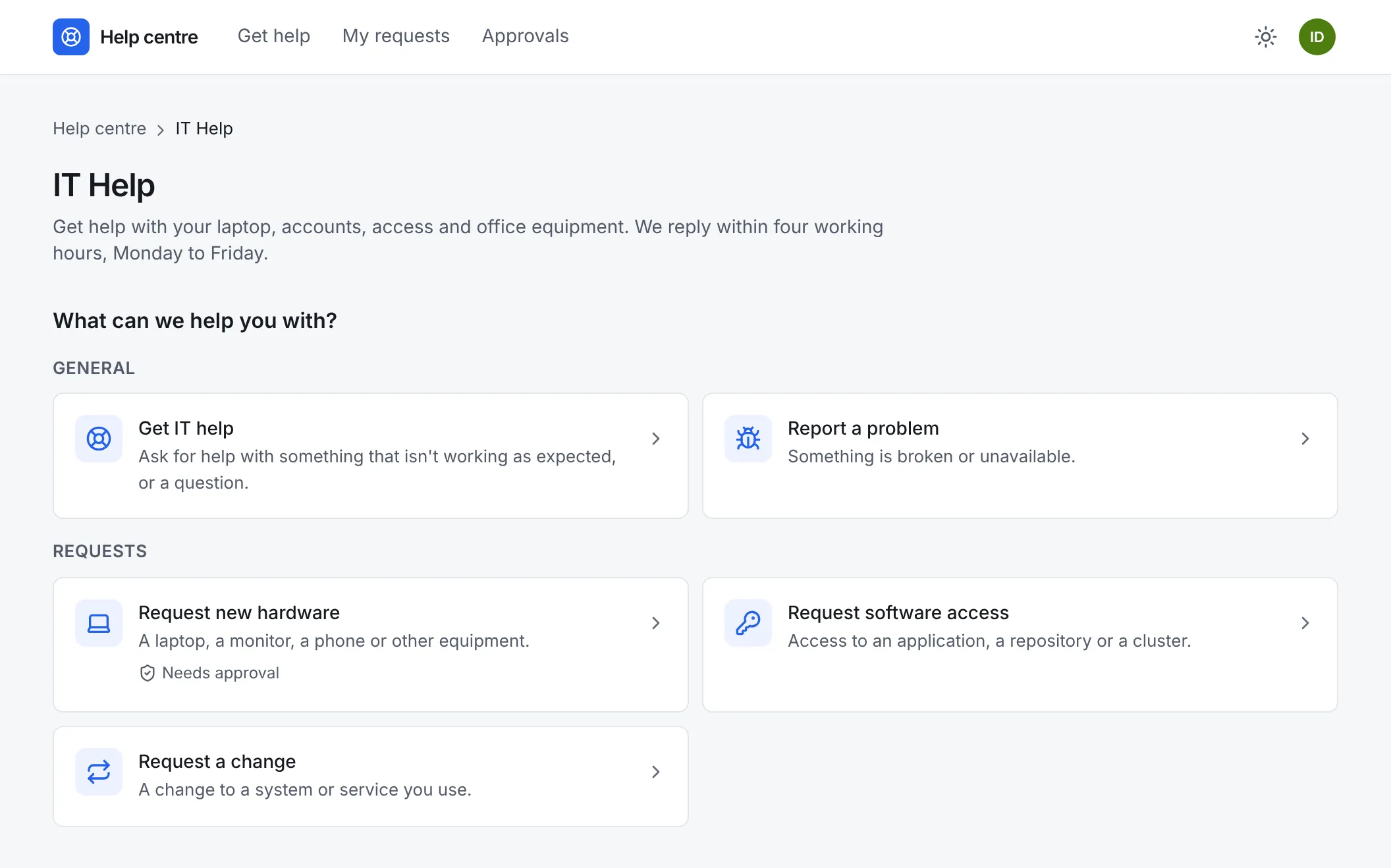
Replies and notes
Agents either reply to the customer or add an internal note, and comments start internal unless they choose to reply. Files work the same way. Customers only ever see the replies, in the help centre and in their emails.
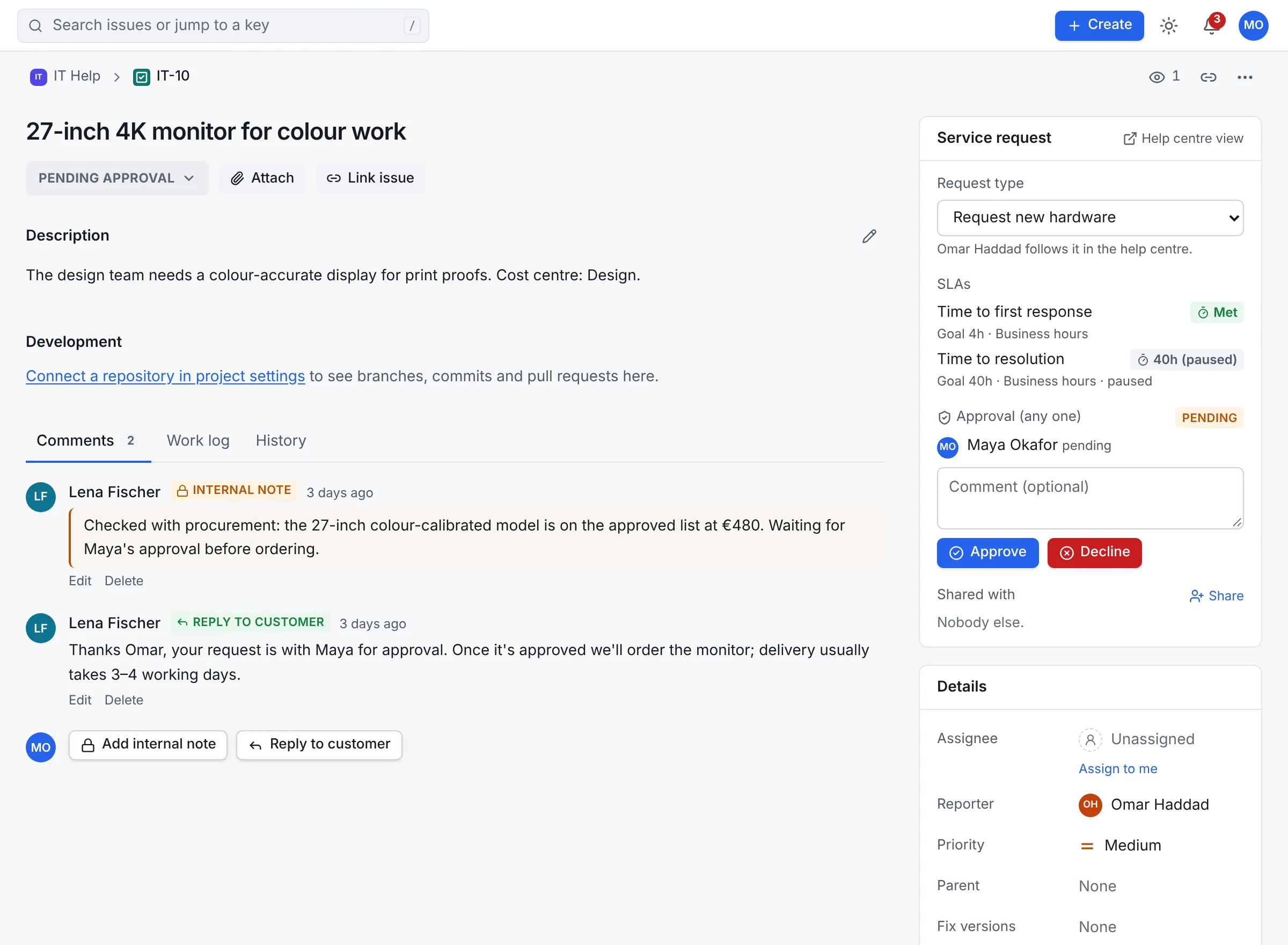
The customer's view
A request shows its status in plain words, the conversation and files meant for the customer, and any approval with its decision and reason.
Queues, SLAs and approvals
Queues are named, ordered searches within the project, with live counts. Agents see what to pick up next, and the same query language finds anything else.
Goals for time to first response and time to resolution, by priority, request type or query, measured in working hours with holidays and a time zone. Clocks pause while a request waits for the customer or an approval.
A breach raises an sla.breached event once per clock, so an automation rule can reassign, escalate or post to chat.
Named people or a group approve, with any one or all of them needed. The approval steps are reserved to the service desk, so changing the status doesn't get round them.
Whoever raised a request is never one of its approvers, and a decision that arrives after the request has moved on is refused.
Customers can only reach the help centre. Anything that isn't theirs answers as if it doesn't exist, and they never see other people's email addresses.
Search and build queues on clock states and time left, in working time on each goal's calendar.
"Time to first response" = breached() AND assignee is EMPTY
"Time to resolution" < remaining("2h") AND "Time to resolution" > remaining("0m")
"Request type" = "Get IT help" AND approval = pendingBy(currentUser())
resolution = Unresolved ORDER BY "Time to resolution" ASC
Keep exploring
Boards, backlog, sprints, the timeline, search and reports.
Versioned YAML workflows, CEL rules, a visual editor and automation.
Git, sign-in and provisioning, chat, AI assistants and the API.
One image, PostgreSQL and a Helm chart, air-gapped if needed.
Free and open source under Apache 2.0, with one edition that has everything. The docs cover installation, configuration and every feature.